Sunday, June 14, 2020

Interview Questions - Networking (Cisco/Juniper/Citrix , etc)

QoS Questions
=============
1. Shaper vs Policer
2. Usecase SrTCM vs TrTCM
3. Algorithmic explanation of SrTCM vs TrTCM
4. How WRED works ?
5. Color aware WRED and Precedence management ?
6. DWRR vs WRR ? 
7. How to load share among queues using Weights and different QoS Algorithms ?
8. Why do you need "trust COS" port-level configuration? is it going to prevent all the attacks ? 

ASIC and Network Questions:
======================
1. broadcom XGS pipeline
2. How L2 gets forwarded.
3. On Ethernet header what decides the next protocol ? If ethertype is used for something else too, what is it for ?
4. Can you draw a frame and it's fields and their significants for: Ethernet+double-tag VLAN + IPv4 header

Operating Systems:
===============
1. Mutex Vs Semaphore
2. IPC mechanisms : Signal Handling Basics, Socket Programming (NETLINK vs RAW SOCKET), 
3.Thread safe programming
4. Memory Layout of Process vs Thread. 


Design Questions:
==============
1. What Datastructure will you use for MAC table and IP routing table ? explain in detail about your decisions. 
2. How do you breakdown a problem: say for example if the current scenario of Covid-19 lockdown needs to be relaxed slowly over the weeks. how do you do it ? 
3. What is the difficult problem that you have faced recently and how did you solve it and talk about it .

C Programs:
==========
1. Endianness of the system
2. HTONS and NTOHS function
3. Height of a Binary tree
4. Reverse a linked list


Few Must DOs:

Monday, May 18, 2020

Data Structures and Algorithms

Big O notation:
- Worst case execution complexity
O(1) : access the data at first lookup
O(n) : lookup a data in a list of n items (linear complexity).
O(n^2): nested loops(2loops)
O(n!) : loop for each item in the list of data

- Space complexity

Good code:
- Readable
- Scalable (speed and Memory)

For Quick Overview : https://drive.google.com/drive/folders/1t75vJEgzndUVp_Jndh9O7tPN9xTu5s57?usp=sharing

For Distributed design : http://book.mixu.net/distsys/intro.html


Wednesday, January 9, 2013

8 Ways Having a Desktop Server at Home is Useful to the Family


If you've worked in an office environment or a medium size business of some kind, there is a good chance that a server was the backbone of your networking infrastructure. A server can keep the wheels turning in a corporate environment and giving immense control over what goes on across the network. Could a desktop server for the home be equally as beneficial?

1. Limit Users - By assigning everyone in the family their own logins to a home domain, you can ensure separation and privacy for the family. The younger children won't have the access to install random pieces of software decreasing the chance of the computer getting clogged with junk-ware.

2. File Storage - Many households will have a large list of downloaded content whether they are MP3s or movies. A centralized location where these are stored will help keep individual computers free of clutter. It's also beneficial for the children to watch movies designated for their specific access using group policies. Mom and Dad can keep their movies separate by policies as well.

3. Time Constraints - Using a home server gives the parents a capability to only allow log ins from children during certain hours of the day. While many routers may have this ability for Internet control, it's a way to keep kids from playing "sick" from school and playing localized games instead.

4. Control of Browsers - Group policy objects in a server environment can give you control of Internet browsers depending on your version of the server software. You can brand Internet Explorer, show specific home pages, monitor history activity, and more using server software for the home network.

5. The Desktop Environment - Group policy also gives the parents control of the desktop environment regardless of what computer the child logs into. His or her specific credentials are loaded each time so removal of the start menu, hiding C: drive, specific desktop backgrounds, and more follow them. It's another method to ensure the stability of the computer system by removing settings that can be altered to create havoc.

6. Print Sharing - Printing from a centralized printer for all family content could eliminate the need to buy more than one. This could help in paper and ink costs as the print jobs can be monitored as well.

7. Spiceworks - Although the Spiceworks program is best suited for the IT department, it could work in a home setting as well. Spiceworks installed on the home server can give you all the information about every computer and device connected to your network with a simple scan. You can monitor what is installed where and what computers need upgrades to keep your family running smooth. As this program is free to use, it is a good investment to keep an eye on your network's health.

8. Expanding Capabilities - Using a desktop server in the home can let yourself and your family develop applications within the network. This could be a great experience for high school students looking into software development. In the server setting, a database can be stored for any information collection and programs can be designed for nearly any purpose.

Software such as Windows Server 2003 and so on will run on a desktop computer system without having to alter hardware settings. Although you're not using the server to its fullest potential in a desktop setting, it is a cost effective way to provide tools and stability to a family environment.
Author Bio
Nancy Parker is a professional www.enannysource.com and she loves to write about wide range of subjects like health, Parenting, Child Care, Babysitting, nanny background check tips etc. You can reach her @ nancy.parker015 @ gmail.com

Monday, December 17, 2012

Windows 8 Scanning and Repairing on Startup - During Every Restart

Windows 8 may give a great experiance, but it's also packed with few issues :P . I found few people reporting about Windows 8 is  "Scanning and Repairing (C) and is getting stuck at XY%". And from then every reboot takes it to  Scanning and Repairing ,which makes you irritated.

Solution for this is simple, First of all try to do a error check on C: drive through properties. If there are no errors being reported. then follow the instruction below,
  • Go to regedit
  •  navigate to HKEY_LOCAL_MACHINE\SYSTEM\CurrentControlSet\Control\Session Manager
  • Change the BootExecute string to autocheck autochk /k:C *
Write to me, if you face the same issue, again.

Friday, December 14, 2012

7 Useful Devices that Fit in Your Pocket


Although many of us consider our smartphones to be one of the most mobile tools in our collection, there are many still that go above what they can do. Until mankind builds a hand-held device that can literally do it all, we'll have to make do with the technologies that are supplied to us. There are many tools and gadgets that we can get that fit into our pockets for a variety of uses.

1. Pocket Projector - Have you ever needed to display a presentation to a client and wish you had a smaller projector that could fit into your tablet bag? Small projectors able to connect through mini HDMI ports can be connected to a tablet or laptop for presentations that can have up to a 50-inch viewable space. These LED projectors can be surprisingly strong for how small they are.


2. Oregon EB313HG Weather Forecaster - By using barometric pressure changes, this small device can forecast the weather while you're outdoors. This could be a great addition to your camping equipment to give you a warning of weather that could produce rain or snow within 24 hours. As this device doubles as an alarm clock, it is a great addition to any traveling equipment.


3. WiKi Spy Watch - Although this doesn't necessarily go into your pocket, it's still small enough to include in this list. The WiKi Spy Watch is a stylish silver analog watch that is equipped with a micro camera and microphone for covert audio and video recording. Adorning this piece of technology makes one feel like "M" is about to call them at any time to go on a mission.


4. Polaroid Touch Player - As MP3 players have evolved, so does the media in which they support. Polaroid makes a 4GB touch screen MP4 player that can play music and videos as well as record video clips and audio. A microSD card slot allows for additional storage and it's a great pocket sized device for the music playing shutter bug in your family.


5. USB Power Bar - There are millions of devices that are either powered by or charged with USB connections. You can get a USB power bar for all of your USB needs that fits in the palm of your hand. Whether you need to charge your phone or have gadgets that use USB power, one of these devices can come in quite handy.


6. Energizer Solar Charger - Akin to the USB power bar above, Energizer has created a solar powered charger for your mobile devices that can power your USB devices as well. This is another one of those tools that could come in handy while camping. In an emergency setting, this solar charger could mean the difference between calling for help and yelling really loud for help.


7. Pocket Microscope - Ever wondered what that little spot was on the table at the restaurant? With a 60x magnifying microscope you could be more enlightened as to what you're eating off of. Although you may want to consider some of the items you view through this pocket microscope, you could have the option to do so.


At the risk of seeming like Batman, you can have a wide range of tools fit into your pockets for various applications. While you don't need to adorn the hood and cowl, collecting gadgets could give you functionality in your daily life depending on the task you need completed. Like a Boy Scout, it's always better to be prepared than to be without.

About the Author:

This guest post is contributed by Debra Johnson, blogger and editor of www.liveinnanny.com. She welcomes your comments at her email Id: - jdebra84@gmail.com.

Friday, January 20, 2012

Apple iBook ,A Next Generation in Learning

There are Millions of Apps available at the market, but now the new one is released for targetting the learning peers.People say that this will make the market hotter for the innovation. Because if learning comes in the way of fun, no one will hate learning. The news is that few schools have decided to promote this :) It's working with the Apple's iCloud technology

                                    Start with the bookshelf. With a tap, it flips around to reveal the iBookstore, where you’ll find over 700,000 books and counting — many of them free. View what’s featured on the iBookstore and the New York Times best-seller lists, or browse by title, author, or genre. Find a book you like and tap to see more details, peruse reviews, even read a free sample. With iCloud, you can have the new books you buy on your iPad automatically download to your iPhone and iPod touch, too. So they appear on your bookshelf, everywhere you want them.

To read more on this please follow this link http://www.apple.com/ipad/built-in-apps/ibooks.html

Wednesday, August 24, 2011

ENABLE MOBILE BLOG WITH SINGLE LINE CODE

            Now a days Android and the other smart phone OS's growth makes the higher mobile internet traffic rate. So it's neccessary to have a link inside your blog to switch to the Mobile blog so that it can be easier to get more mobile readers as well as for mobile SEO. 

There are no more  hidden magics. just a line of code is enough for this. just find the code below and give it inside your Blog's html code(the place,where you want to show the link).

<a href='http://jeshmal4u.blogspot.com?m=1'>MOBILE SITE</a>

(replace the URL with your blog's URL,or else i will enjoy the link)
That's it.. now you can trial it from your mobile browser.

Monday, August 22, 2011

USE YOUR MOBILE PHONE TO SCAN THE DOCUMENTS

                                                      Buying a scanner costs more but scanning a document using your phone is free. Now select your option !! The Android application, which can be used to scan and create PDF is CamScanner. Using this app you can take photo using different modes like document scanning and image scanning. I have scanned few of my childhood photos, it's awesome.. Give a try. The picture gives explanation more than what i can.


If possible i will upload the video explaining ,how to do that . 

Thursday, July 21, 2011

LOWEST COST 3G VIDEOCALL ANDROID MOBILE PHONE IS RELEASED IN INDIA | HTC Cha Cha

       Low cost Android Mobile with front facing | secondary camera is released for just 15000Rs in India. HTC always makes revolutions, now it's remarkable. The lowest cost 3G videocall ( Front facing or secondary camera enabled) mobile phone is released by HTC. It's GingerBread (Android 2.3) with 800Mhz processor are the Great things for this price range. One who enjoys texting and Android will go for this. I have given the specifications below:


CPU Processing Speed

800 MHz

Storage1

ROM:
512 MB
RAM:
512 MB

Expansion slot:

  • microSD™ memory card (SD 2.0 compatible)

Connectors

  • 3.5 mm stereo audio jack
  • Standard micro-USB (5-pin micro-USB 2.0)

Power & Battery2

Battery type:
Rechargeable Lithium-ion battery
Capacity:
1250 mAh

Talk time:

  • WCDMA: Up to 400 minutes
  • GSM: Up to 450 minutes

Standby time3:

  • WCDMA: Up to 640 hours
  • GSM: Up to 400 hours

Network4

HSDPA/WCDMA:

  • Europe/Asia: 900/2100 MHz

Quad-band GSM/GPRS/EDGE:

  • 850/900/1800/1900 MHz
(Band frequency, HSDPA availability, and data speed are operator dependent.)
Platform

Platform

Android™ with HTC Sense™
Camera

Camera

  • 5 megapixel color camera with auto focus and LED flash
  • VGA front camera
Sensors

Sensors

  • G-Sensor
  • Digital compass
  • Proximity sensor
  • Ambient light sensor
Multimedia

Multimedia

Audio supported formats:

  • Playback:.aac, .amr, .ogg, .mid, .mp3, .wav, .wma (Windows Media Audio 9)
  • Recording:.amr

Video supported formats:

  • Playback:.3gp, .3g2, .mp4, .wmv (Windows Media Video 9)
  • Recording:.3gp
Internet

Internet5

Wi-Fi®:

  • IEEE 802.11b/g/n
Bluetooth®

Bluetooth®

  • Bluetooth® 3.0 with FTP/OPP for file transfer
  • A2DP for wireless stereo headsets
  • PBAP for phonebook access from the car kit
Location

Location

  • Internal GPS antenna

Friday, June 24, 2011

THREE TIPS AND TRICKS TO HELP LENGTHEN AN ANDROID'S BATTERY LIFE

                              One of the biggest complaints we have about our super-powered, super fast Smartphones is that the battery life doesn't last long enough. With internet access from the palm of our hand, thousands of apps to install and use, and endless entertainment, it's no real surprise that these handheld wizards might eat up battery juice. While the battery life of your Android phone may never be exactly how you want it, there are several tips and tricks you can use to make your phone's life run longer. Rather than purchasing expensive car phone chargers or downloading time consuming apps to help "kill tasks" to save battery life, try these three simple tips that you can perform right on your phone to keep your phone powered up longer.


1)Turn off Bluetooth When You Don't Need It
       Maybe this tip is a little obvious, but it's still a great way to really extend your phone's battery life. Also, because it is so obvious, many Android users overlook it. Whenever you are not actually using your phone's Bluetooth capabilities switch them to the off position to help save your battery. The easiest way to switch Bluetooth off and on is by using a widget on your homescreen (that most all Android devices have in place from the get go). When Bluetooth is left on and you are not utilizing it, your device will try to locate other Bluetooth signals with no success. This means that your phone is wasting valuable battery life trying to do something it doesn't need to do.

2) Either Switch Wi-Fi Off or Keep It On At All Times      Your phone's wireless internet connection works in much the same way that the Bluetooth connection does when it comes to wasting battery life. Many people know that turning off the Wi-Fi connection can help prolong your phone's juice, but few realize that keeping it on at all times can also help. If you are close to a reliable WLAN for most of the day, then having your Wi-Fi always enabled may be best for your phone's battery life because We-Fi uses up less juice than 3G does. To set your Wi-Fi setting to always on go to Settings> Wireless Networks> Wi-Fi Settings. Once you are in the Wi-Fi settings tap on Advanced and set the Wi-Fi sleep policy to Never. However, if you are not close to a strong Wi-Fi signal the majority of the time, it may be beneficial to disable the Wi-Fi from your homescreen widget. This way your phone won't search for a wireless connection, wasting valuable battery power, when Wi-Fi is not actually available or necessary.

3)Learn What Exactly is Killing Your Juice                     Like most things in life, the best way to fix something is to know why it's broken. Most all Android devices available today have a built-in feature that tells you exactly what your phone is using its batter power on. Of course, as one of the most useful features on your Android phone, most users don't know that it actually exists. Check to see what aspects of your phone use are draining the most juice by going to your phone's Settings> About Phone> Battery> Battery Use. This page will show you the percentage of battery spent towards your phone being idle, the Android system, cell standby, the display, media, and more. By seeing exactly where all of your battery juice is going you can better modify the way you use your phone or the specific settings you have in place to help extend the life of your phone's battery.

By-line:
This guest post is contributed by Lauren Bailey, who regularly writes for best online college. She welcomes your comments at her email Id: blauren99@gmail.com.

Saturday, May 7, 2011

MICROMAX BLING 2 PRICE SPECIFICATIONS RELEASED

                    Micromax is going to release it's first Android 2.2 mobile. The Speciality of this mobile is that it's made by "SWARDVSKI ZIRCONIA". It's released for focusing the female market. Micromax Bling2 specifications and pre-booking offer has been launched on Micromax Bling Official Website.
It has a very cute look and very handy especially for girls, Have a look at this

 The Features Given are,
  • Android 2.2 Froyo
  • 7.112 multitouch capacitive touch screen
  • 3MP camera
  • 3G Enabled
  • 32GB external Memory
  • Mi-Fi Pocket Internet
  • GPS enabled
Official Price of Micromax Bling2 is,
  • 8999INR

Price Tag of 8999Rupees is acceptable with it's features & Design.. Enjoy it.. !!

Monday, April 25, 2011

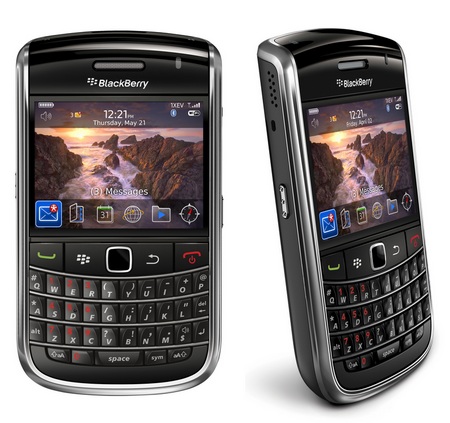
BLACKBERRY UNVEILS NEW PHONES FOR CDMA USERS.

In the news released by "The Economic Times" It is said "BlackBerry handset maker Research In Motion (RIM) today announced the launch of its new dual-screen 'Style' smartphone for CDMA customers in India, to be sold in the open market.

The earlier BlackBerry phones launched for CDMA customers were bundled with the services of Tata Teleservices and Reliance Communications .

The new smartphone has a compact flip design with dual high-resolution displays and a QWERTY keyboard. The phone has a 2-inch (diagonal) external screen for quick viewing of notifications and messages along with a 2.7-inch (diagonal) internal screen.

"The CDMA segment represents a significant portion of the overall mobile subscriber base in India and we are pleased to further our commitment to Indian consumers with the introduction of this powerful and stylish BlackBerry smartphone," RIM India Managing Director Frenny Bawa said in a statement.

It also comes with multimedia features which include a 5 mega pixel camera with flash. The handset will support video recording, offers built-in GPS for location-based applications and geo-tagging, Wi-Fi access and an expandable memory slot for up to 32GB of additional storage.

The BlackBerry Style smartphone will offer an optical trackpad for navigation. It will support applications like YouTube , BBM, Facebook , Twitter and MySpace.

The phone is now available in the market and distribution of the smartphone is being managed by Brightpoint India, RIM's national retail distribution partner for CDMA-enabled BlackBerry smartphones, the statement said."


If you Like this post, please leave comment. for any queries contanct me to jeshmal4u@gmail.com

Monday, April 4, 2011

NEW MICROCHIP FOR BIONIC EYE IN AUSTRALIA

Researchers have unveiled a microchip which is expected to power the first functional bionic eye. BIONIC Vision Australia’s researchers have developed a breakthrough microchip which is bringing the bionic eye closer to human trials.

Bionic Vision Australia has taken delivery of a prototype microchip that would power a “bionic eye” implant intended to restore partial vision to the blind.

The five-square-millimetre chip was designed to be implanted in a patient’s eye, communicating wirelessly with an external camera and stimulating retinal cells to elicit vision.

Bionic Vision Australia announced on Friday that the chip – manufactured via the 65nm CMOS process in the US – was performing well in preliminary lab testing.

"This is a remarkable new microchip that has brought a retinal implant much closer to reality," said Gregg Suaning, project leader and associate professor with Graduate School of Biomedical Engineering, University of New South Wales.

At only five square millimetres, the device is tiny but represents a significant advance in nerve stimulation technology.The design team incorporated never-before attempted features with this design and absolutely nailed every aspect.

The device is five square mm in size, but is said to be a significant advance in nerve simulation technology. The microchip is at the heart of the retinal implant, which stimulates the retinal cells to elicit vision.

While the current microchip announcement pertains to the first prototype (the wide-view system), work is very much advanced on this prototype, which has progressed through a series of preclinical studies to test the safety and efficacy of the technology.

A safe surgical technique has also been developed for implantation.Clinicians are now screening people with retinitis pigmentosa to develop a selection protocol for the first group of patients who will participate in tests of the device.

The wide-view bionic eye consists of a camera, attached to a pair of glasses, which captures images and sends them to a body-worn processing unit. A wireless transmitter feeds the data and power from this unit to a microchip in the retinal implant.

The microchip decodes this information and drives the electrical stimulation in the retina. These signals are then passed along the optic nerve to the brain where they are interpreted as vision

A system demonstrated by consortium member NICTA in February featured a wearable webcam that transmitted information to the implanted chip via a 402 to 405 MHz wireless link.

Bionic eye demonstration at NICTA TechFest 2011.

The chip featured 1024 electrodes to decode images using object and facial recognition algorithms from NICTA.NICTA researchers also intended the implant to feature electromagnetic coils that would detect eye movement and adjust the camera accordingly.

Researchers planned to perform the first full implant of the system in a patient in 2013.

If you Like this post, please leave comment. for any queries contact me to jeshmal4u@gmail.com

SEA LEVEL RISES THE FASTEST IN 350 YEARS DUE TO MELTING MOUNTAIN GLACIERS IN CHILE


According to research by Welsh scientists, Melting mountain glaciers are making sea levels rise faster in the last 350 years.The world's glaciers are melting up to 100 times faster than any time during the last 350 years.

The amount of ice lost from the 270 Patagonian glaciers is equivalent to filling Windermere in the Lake District more than 1,700 times.They mapped changes in 270 of the largest glaciers between Chile and Argentina since the "Little Ice Age".

Studies showed glaciers have lost volume on average "10 to 100 times faster" in the last 30 years.The rapid melt rate is linked to their contribution to global sea level.The researchers analysed the rocky debris left by glaciers on the sides of mountains to work out how big they once were - and how much ice has vanished.


Since the Little Ice Age ended in Patagonia in the middle of the 17th century, the 270 glaciers that now cover an area of at least 0.4 square miles have lost 145 cubic miles of ice.Because water is denser than ice that is equivalent to about 130 cubic miles of water.

Over the same period temperatures have gone up by around 1.4 C in the region, the scientists report in the journal Nature Geoscience.Their survey centred on remotely sensed images of outlet glaciers of the south and north Patagonian icefields, but used longer timescales than previous studies.The northern icefield extends for nearly 200 km and covers a surface of 4,200 square km, while the southern icefield is more than 350km long, covering 13,000 square km.


The scientists mapped changes in the position of the glaciers since the "Little Ice Age".The team calculated the volume of ice lost by the glaciers as they have retreated and thinned over the past 350 years and compared these volume losses to rates of change over the last 30 years.


"They cover only the last 30 years or so when satellite images can be used to calculate rates of glacier volume change.The study, which has been published in the journal Nature Geoscience, concludes the mountain glaciers have rapidly increased their melt rate in recent years and consequently their contribution to global sea level.

If you Like this post, please leave comment. for any queries contanct me to jeshmal4u@gmail.com

Friday, February 25, 2011

HOW TO UNINSTALL WINDOWS 7 SERVICE PACK 1 USING COMMAND PROMPT

                   It's not recommended to uninstall the Windows 7 SP1. If you want to uninstall it because of some hardware problems, Then it's the betterway to uninstall, Follow the steps given below

  1. Click the Start button , and then, in the search box, type Command Prompt. 
  2. In the list of results, right-click Command Prompt, and then click Run as administrator. Administrator permission required If you're prompted for an administrator password or confirmation, type the password or provide confirmation.
  3. Type the following: wusa.exe /uninstall /kb:976932 
  4. Press the Enter key.
That's it.. you have done with it ..

Note:
       This is the Method recommended by Microsoft

Thursday, February 24, 2011

WINDOWS 7 AND WINDOWS SERVER 2008 R2 SERVICE PACK 1 HAS BEEN RELEASED

                                     Microsoft has released the first official service pack for Windows 7 today (23 -Feb- 2011). This update includes previously released security, performance, and stability updates for Windows 7. SP1 also includes new improvements to features and services in Windows 7, such as improved reliability when connecting to HDMI audio devices, printing using the XPS Viewer, and restoring previous folders in Windows Explorer after restarting and more.
                      Windows Server 2008 R2 SP1 includes RemoteFX and Dynamic Memory which provides customers with the ability to take advantage of enhanced server and desktop virtualization.

                      Languages availabe are Arabic, Chinese (Simplified), Chinese (Traditional – Hong Kong), Danish, Dutch, English, Finnish, French, German, Greek, Hungarian, Italian, Japanese, Korean, Norwegian, Polish, Portuguese (Brazil), Russian, Spanish, Swedish, and Turkish.


How to get SP1

                         The recommended (and easiest) way to get SP1 is to turn on automatic updating in Windows Update in Control Panel, and wait for Windows 7 to notify you that SP1 is ready to install. It takes about 30 minutes to install, and you'll need to restart your computer about halfway through the installation.

To check if Windows 7 SP1 is already installed,
  •       Click the Start button > right-click Computer, and then click Properties.
  •       If Service Pack 1 is listed under Windows edition, SP1 is already installed on your computer.

The Next way is to download the from the Microsoft Download Center. Use this link to download: http://www.microsoft.com/downloads/en/details.aspx?FamilyID=c3202ce6-4056-4059-8a1b-3a9b77cdfdda&displaylang=en


Disk Space Requirement :
 
Windows Update
  •       x86-based (32-bit): 750 MB
  •       x64-based (64-bit): 1050 MB

Downloading SP1 from the Microsoft website
  •           x86-based (32-bit): 4100 MB 
  •       x64-based (64-bit): 7400 MB

Installing SP1 using an installation DVD
  •     x86-based (32-bit): 4100 MB
  •     x64-based (64-bit): 7400 MB

Notes :
1. If u have already installed Beta of SP1, you should uninstall it before Installing RTM
2. Installing SP1 needs a Genuine Windows Validation.