Last week i had this problem. when i reached home from college, i tried to switch on my PC. but it gives me this error "BOOTMGR is Missing". I was helpless, because i had all my project files inside my PC (particularly in C drive). So i cant format it. Then i came to a conclusion that i am gonna repair my PC with Vista DVD. You kinow,It worked well.
The steps i followed are
- Insert Vista Bootable DVD inside the DVD Drive
- Restart the PC and change the booting priority (If needed) in BIOS(press Del,when restart for doing this)
- Then install windows will appear, we have to select English language and have to click on next
- Next step select Repair your computer
- Then we have to select Vista installed partition
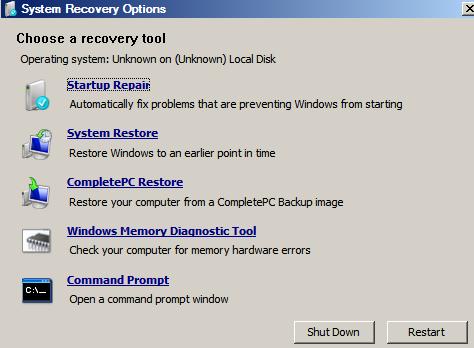
- In the System Recovery Options window select the first Option "Start up Repair"
This Process will be completed quickly and you can get back the system as before..

